Why Content Expiration Dates Improve Social Media Performance
Show marketers how assigning a shelf life to each post keeps feeds timely, reduces repetitive publishing, and creates smarter repurposing decisions. It offers a practical framework for refreshing, retiring, or reusing content with intention.
Treating Social Media Posts Like Finite Assets: The Content Expiration Strategy
Social media feeds slowly morph into digital junkyards when brands ignore the lifecycle of their content. Treating each post as a finite asset with a managed expiration date prevents algorithm penalties, reduces audience fatigue, and creates a sustainable framework for refreshing, retiring, or repurposing work. This strategic shift away from "create-and-forget" chaos helps brands maintain high engagement, keep feeds timely, and maximize return on investment for every piece of creative output.
Key Takeaways
- Expiration timelines prevent algorithms from deprioritizing repetitive or outdated posts
- A refresh, reuse, and retire framework maximizes the value of existing digital assets
- Regular quarterly or biannual audits keep feeds aligned with current brand narratives
- Assigning lifespans to posts reduces the stress of constant content creation
- Metadata tagging automates smart repurposing decisions and streamlines lifecycle management
Why do social feeds become digital junkyards?
Marketers often fall into a relentless trap of generating new posts while completely ignoring older assets. This "create-and-forget" mentality leads to cluttered profiles filled with outdated promotions, broken links, and messaging that no longer reflects the brand.
Audiences quickly scroll past profiles that feel stale. Repeatedly posting low-value content signals irrelevance to algorithms, which then bury your future updates.
The average lifespan of a social media post is incredibly short. Despite this fleeting visibility, the vast majority of social media teams never revisit their published content. Treating your content as an asset with a hard expiration date stops this cycle of waste and clutter.
The common mistake? Assuming that once a post is published, its job is entirely done.

Concept illustrating digital clutter being organized into a structured content calendar
What are content expiration dates?
A content expiration date is a predetermined timeline assigned to a post. Once that date arrives, the asset is reviewed for relevance, performance, and brand alignment.
This is not about blindly deleting everything old. It's a strategic approach to lifecycle management. Ephemeral content like Stories or Reels disappears automatically due to platform limitations. Expiration dates, on the other hand, put you in control of permanent feed posts.
The strategy taps into the psychological principle of scarcity. Knowing an offer or message has a limited window drives attention and urgency. A holiday promotion has a strict end date. A detailed tutorial might stay relevant for a year. Trending commentary expires almost immediately.
Why do expiration dates improve social media performance?
Managing the lifecycle of your posts provides direct, measurable benefits to your marketing efforts.
Algorithm favorability is tied to novelty and interaction. Platforms heavily reward fresh and engaging material. Repeatedly displaying low-performing, outdated posts tells the algorithm your brand lacks relevance.
Removing noise keeps your feed focused on your best, most current narratives. Visitors immediately see your top-tier work, which increases the likelihood of them clicking, saving, or sharing.
Repurposing what already works drastically reduces the pressure on your creative team. You don't need to invent new ideas every single day to fill the calendar.
According to Semrush data from 2024, 61% of marketers run content audits twice a year or more to maintain this kind of performance edge.
"You need to make content repurposing a step in your content lifecycle processes to accomplish it successfully and consistently. A lot of time and effort is put into these types of materials. Why not extend their life?"
Andi Robinson, Content Strategy Expert (Content Marketing Institute, 2025)
How does the refresh-reuse-retire framework work?
What happens when you stop guessing what to do with older posts? You create a structured decision tree. The refresh, reuse, and retire model gives every asset a clear path forward.
How do you refresh content for continued relevance?
Use this when you have a post with high past performance but outdated details.
Update your data points to reflect the current year. Adjust the tone to match recent trends or swap in fresh graphics. A post titled "2024 Marketing Trends" easily becomes "2026 Marketing Trends" with some targeted research updates.
The goal is maintaining existing search equity and serving new followers without starting from scratch.
How do you reuse content across formats?
Use this when you possess evergreen topics or proven high performers.
Adaptation is entirely different from duplication. Turn a long blog post into a visual carousel. Convert a video script into a detailed thread on X. Take a successful webinar and slice it into bite-sized quote graphics.
The goal is reaching entirely new audience segments by presenting the same valuable idea in a fresh medium.
When should you retire off-brand content?
Use this when you find obsolete offers, off-brand messaging, or consistent underperformers.
Archive the post instead of deleting it permanently. Keeping it in an archive preserves your analytics history. Document what failed so you can spot patterns for future campaigns.
The goal is cleaning up your feed and projecting a highly professional, accurate brand image.
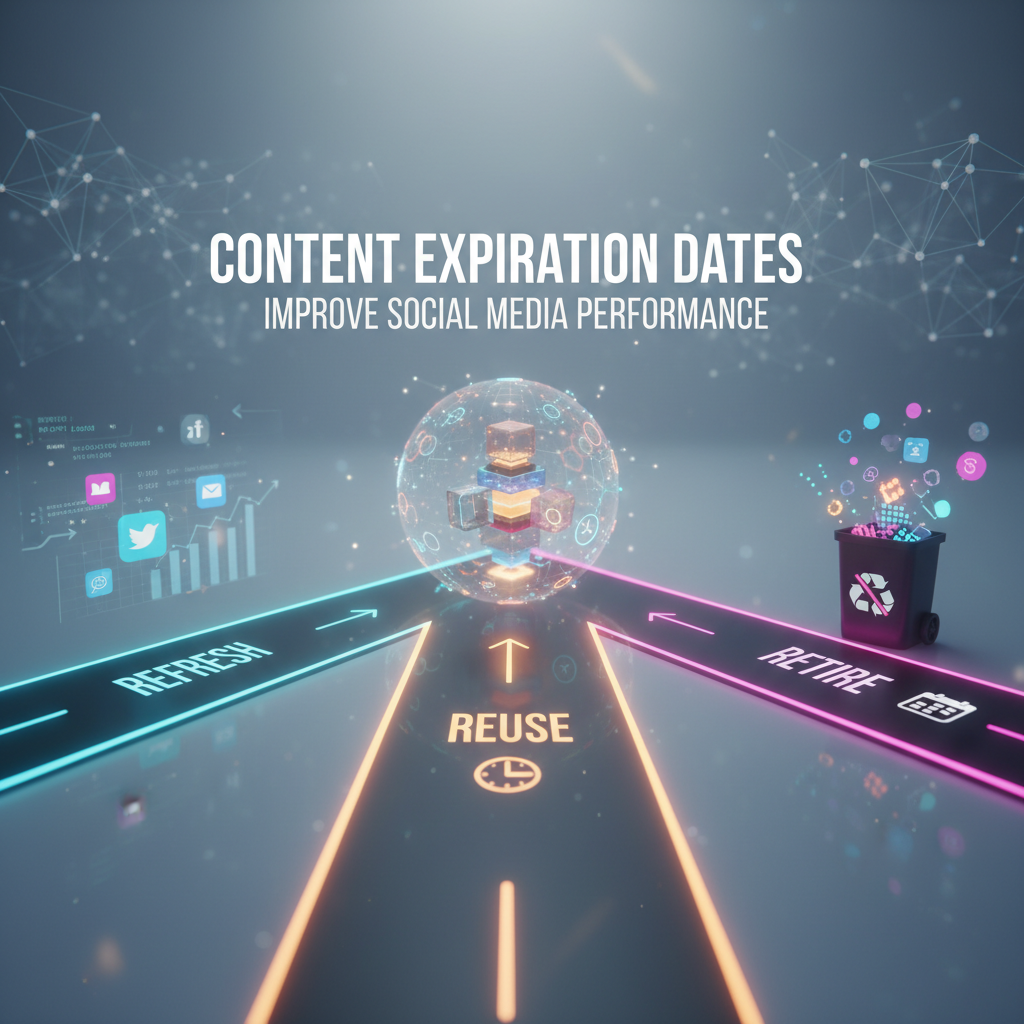
Flowchart showing the Refresh, Reuse, and Retire decision paths for social media posts
How do you assign lifespans to different formats?
Different types of posts require vastly different expiration timelines. The Content Lifecycle Model categorizes assets to help teams plan effectively.
Flash and Campaign Content (Days to weeks): Sales promotions, event announcements, and trending topic commentary. The expiration trigger hits the moment the event passes.
Seasonal Content (3 to 12 months): Holiday themes, quarterly industry trends, and seasonal tutorials. The expiration trigger is the end of the season.
Evergreen Content (1 to 3 years): Educational guides, core brand values, and timeless advice. The expiration trigger activates when performance declines or the information becomes factually incorrect.
Key takeaway? Use metadata tags in your scheduling calendar to label each post as Flash, Seasonal, or Evergreen from day one.
What does a content expiration audit process look like?
A structured audit stops old posts from falling through the cracks.
Step 1: Set your review cadence. Active brands should audit quarterly, while smaller teams can manage biannual reviews.
Step 2: Pull performance data. Export your engagement rates, click-throughs, and shares using native platform analytics.
Step 3: Apply the framework. Sort your exported list into Refresh, Reuse, or Retire buckets based on their metrics and current relevance.
Step 4: Execute the updates. Take action on each category and keep a basic log of your decisions.
Step 5: Measure the impact. Track your overall feed engagement before and after the audit to see what resonated.
Start small. Review just your top 20 and bottom 20 posts to learn the rhythm. A first audit might take four hours, but subsequent reviews usually take half that time.
What tools help manage expiration dates?
Technology makes lifecycle tracking entirely manageable.
Free and low-cost options: Spreadsheets work brilliantly for teams publishing fewer than 50 posts a month. Add custom columns for Publish Date, Category, Expiration Date, and Performance Notes. Trello and Notion also offer excellent due date reminders and database views.
Mid-tier platforms: Dedicated calendars like CoSchedule, Later, and Buffer allow custom tagging. Native platform features, such as the Instagram Archive or LinkedIn scheduling notes, can also hold lifecycle data.
Enterprise solutions: Large teams use systems like Sprinklr or Hootsuite Enterprise. These platforms offer advanced metadata tracking and automated workflows to notify managers when an asset reaches its expiration date.
How can you start your first content expiration strategy today?
You don't need to audit years of history at once. Build the habit by focusing on your immediate past.
30-Minute Starter Plan:
- Export your last 90 days of posts along with their engagement data (10 minutes).
- Identify your top 5 and bottom 5 performers (5 minutes).
- Assign a category to these 10 posts, such as Flash, Seasonal, or Evergreen (5 minutes).
- Set expiration review dates for each using the category matrix (5 minutes).
- Add these review dates to your calendar with specific action labels (5 minutes).
Expand this process to your broader library over the next few weeks. Shifting from chaotic publishing to intentional management creates sustainable engagement without team burnout. Schedule your first small audit this week and watch your metrics respond.
FAQ
How often should I audit my social media content for expiration?
Most active brands benefit from quarterly audits. High-volume publishers might run monthly checks, while seasonal businesses should audit just before a major season begins. At minimum, conduct a thorough review every six months to maintain feed relevance.
Should I delete expired content or just archive it?
Archive it rather than deleting it. Archiving preserves your analytics history and lets you reference past campaigns without cluttering your public profile. Only delete posts that contain errors, violate new platform policies, or severely contradict your current brand identity.
How long should evergreen social media content last before being refreshed?
Evergreen posts typically remain useful for one to three years. Review them annually. You should refresh them if statistics become outdated, engagement drops below your baseline, or your brand messaging shifts. Often, a simple update to visuals or facts is enough.
Can content expiration dates hurt my organic reach?
No. Strategic expiration management actually protects your reach. Retiring low-performing assets removes negative signals, while refreshing older posts can boost engagement algorithms. Lifecycle management signals active curation, which platforms reward.
What is the difference between content expiration and ephemeral content?
Ephemeral content, like Stories or Reels, automatically disappears after a short, platform-dictated timeframe. Content expiration is a strategic timeline you control for permanent posts. You decide when an asset should be reviewed, updated, or removed based on its actual performance.