From Webinar to Weeklong Campaign: A Smarter Repurposing Workflow
This post explores how businesses can turn a single webinar into multiple social posts, emails, and content assets without losing quality or control. It highlights a practical workflow that blends AI automation with human oversight to make content mark...
How to Repurpose a Single Webinar Into 25+ Assets in 2026
TL;DR: In 2026, B2B marketing teams extract 17-25+ platform-specific assets from one webinar using a hybrid workflow: AI handles transcription and formatting while humans maintain brand voice and strategy. A three-phase approach (pre-event positioning, 48-hour post-event sprint, weeklong distribution) dramatically cuts production costs and maximizes reach across channels.
Key Takeaways:
- Extract at least 17 distribution-ready assets from one 45-minute webinar
- Keep humans in the loop—raw AI output lacks brand consistency
- Prioritize short-form video to maximize modern ROI metrics
- Adapt content specifically for each platform rather than blindly copying
- Execute highlight reels within 48 hours to capture momentum
Marketing teams often spend weeks preparing a webinar. Hundreds of people register, dozens attend live, and then the recording sits practically untouched. A single "replay available" email goes out to the list, and the asset is effectively retired.
In 2026, the pressure to do more with less has transformed webinar repurposing from a simple replay posting into a highly sophisticated demand-generation engine. Marketing budgets remain scrutinized, yet expectations for content output keep rising.
A practical workflow blending AI automation with human editorial oversight solves this exact problem. You no longer need to choose between quality and quantity. By using a systematic approach across three distinct phases, you can extract immense value from a single presentation.
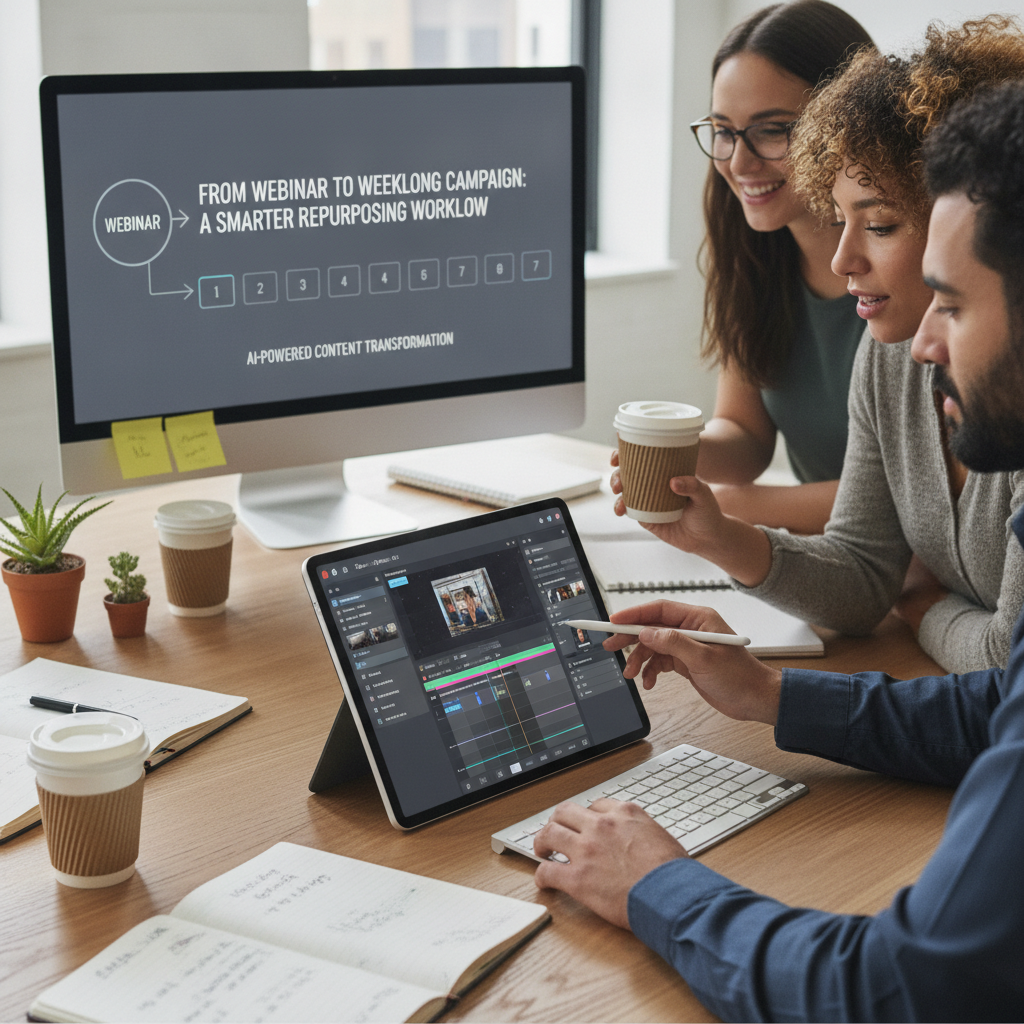
Marketing professionals reviewing webinar video clips on a modern interface
Why does webinar repurposing matter in 2026?
Repurposing is now a mandatory strategy to lower cost-per-asset and satisfy constant content demands.
The landscape of content production shifted entirely over the last few years. According to a 2026 industry report by theStacc, 87-94% of B2B marketers use AI for content creation. However, that rapid adoption introduced a severe quality drift.
According to that same 2026 marketing maturity study, only 4% of marketers trust raw AI output without human oversight. Relying strictly on machines results in robotic, generic copy that fails to engage sophisticated audiences. The "maturity gap" is the defining challenge of 2026: organizations must balance machine efficiency with human authenticity.
Bottom line: The current industry standard is the "1:10" framework. A single 45-minute webinar should yield a minimum of 17 to 25 distribution-ready assets. High-performing teams routinely produce 30 or more.
Live-streaming and short-form video deliver exceptional returns. A 2026 HubSpot study on video marketing ROI revealed that short-form video drives the highest ROI among content formats at 49%. Systematically repurposing a live event into these high-return formats drops the cost-per-asset to a fraction of what independent production requires.
AI handles the mechanics. It transcribes audio, isolates timestamps, and drafts initial summaries. Humans remain the pilots. We ensure the strategic angle remains intact and the brand voice stays consistent. If you ignore this hybrid workflow, you risk either burning out your team by doing it manually or alienating your audience with low-effort machine text.
What does a high-performing repurposing workflow look like?
Ad-hoc repurposing fails. A phased, modular workflow guarantees consistent asset generation.
Moving away from the "one-and-done" mentality requires a structured system. A high-performing workflow divides the process into three distinct phases. Each phase builds logically on the previous one.
The complete system includes:
- Pre-Event Setup: Positioning the webinar to ensure highly quotable moments occur naturally.
- The Post-Event Sprint: Capturing the immediate momentum within the first two days.
- Weeklong Distribution: Spreading the extracted assets systematically across all active channels.
This modular approach prevents overwhelm. Instead of facing a one-hour video file and wondering where to start, the team executes a precise checklist.
Expect this workflow to generate between 17 and 30 unique assets. A structured pipeline ensures you never stare at a blank screen. It also guarantees that the original themes remain coherent across various platforms. Haphazard clipping rarely produces a unified campaign.
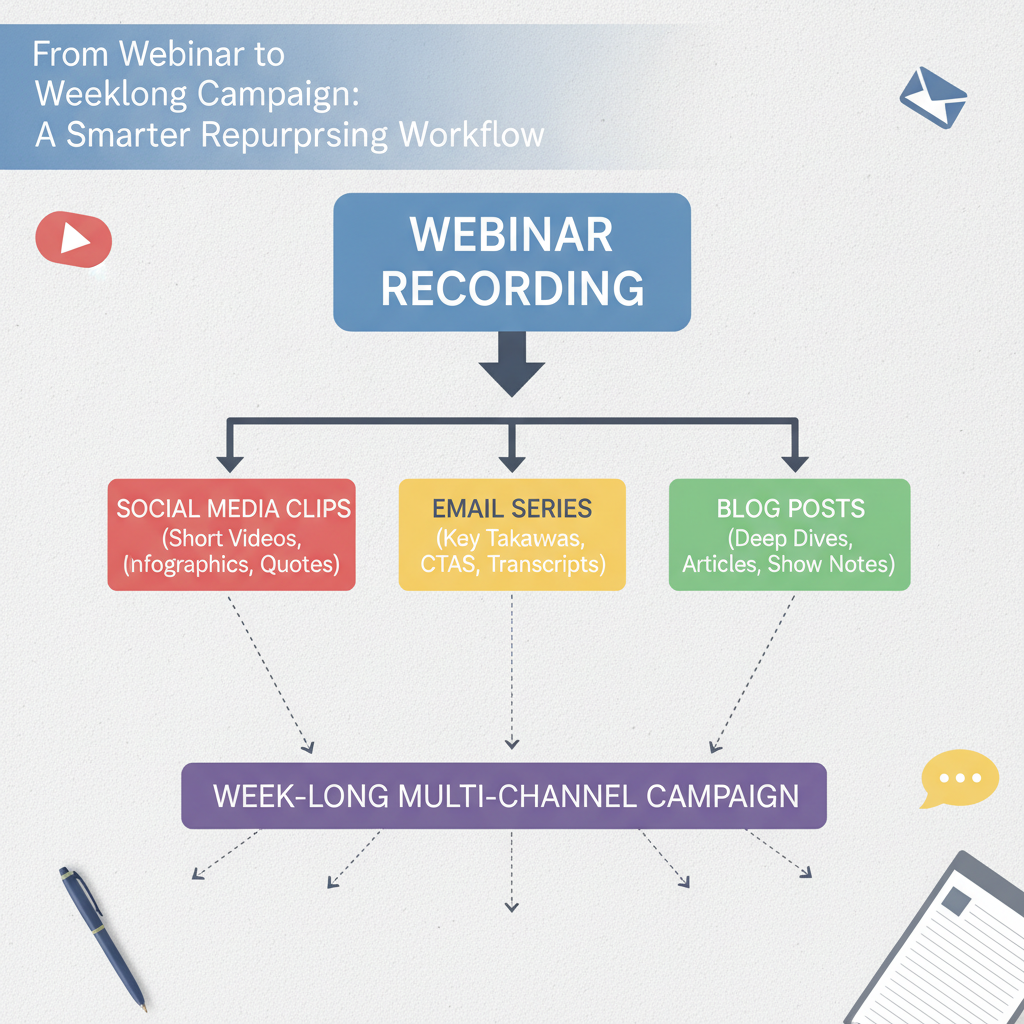
Flowchart depicting a webinar transforming into multiple content types
How do you set up a webinar for maximum repurposing potential?
Strong post-event content requires strategic pre-event positioning.
Most teams treat repurposing as an afterthought. They record the presentation and then desperately hunt for interesting soundbites. High-performing teams engineer those soundbites before they ever hit the record button.
Promote specific, actionable outcomes rather than generic topics. A webinar titled "Sales Strategy Tips" will likely produce bland, generic clips. A presentation titled "5 Frameworks to Cut Your Sales Cycle in Half" forces the speaker to deliver distinct, packaged ideas that easily translate into carousels and short videos.
Execute the "Zero-Step" tactic: finalize your primary hook 14 days before the event. Your registration page must convert visitors by offering immediate value. Include a workbook, a framework template, or a checklist upon sign-up.
Position the event as an exclusive experience. Introduce live "hot seat" teardowns or interactive Q&A sessions.
- Generic Setup: A 45-minute monologue reading off slides.
- Repurposing-Optimized Setup: A 20-minute core argument followed by 25 minutes of live audience teardowns.
Those unscripted hot seat moments often yield the most passionate, opinionated quotes. When the speaker reacts genuinely to a real problem, the resulting video clip performs exceptionally well on social feeds.
What should you do in the first 48 hours after your webinar?
Ship your replay landing page and top highlight reel within 48 hours to capture peak interest.
Momentum dies rapidly after a live event. The first 48 hours dictate the success of your repurposing efforts.
Your absolute priority is the immediate replay landing page. It must go live within two days. Simply posting the full video file is insufficient because completion rates for hour-long replays are notoriously low.
Instead, place a 90-second highlight reel directly above the full replay. This "trailer" captures the attention of registrants who missed the live session but lack the time to watch the entire broadcast immediately.
Step 1: Extract the highest-energy moments while the event remains fresh in everyone's mind.
Step 2: Stitch together three or four core insights into a fast-paced trailer.
Step 3: Have each speaker share their most opinionated 60-second clip on LinkedIn.
LinkedIn specifically drives B2B authority and organic reach. When a speaker shares a punchy, single-idea clip directly to their network, it generates far more engagement than a brand page sharing a generic link.
Fast action maintains event buzz. The audience still remembers the promotional emails. Delivering high-impact clips immediately capitalizes on that existing brand awareness.
How should you distribute content over the following week?
Spread your 17+ assets over seven days to maintain visibility without fatiguing your audience.
Once the sprint concludes, transition into a modular workflow for weeklong distribution. Do not publish all your assets simultaneously.
Here is the breakdown of a standard 17-25 asset campaign:
- LinkedIn and Social Posts (5-7 assets): Anchor each post to a specific argument or "truth bomb." Extract strong quotes from the transcript and build text posts around them.
- Short-Form Video (3-5 assets): Cut 60- to 90-second vertical clips. Use these for TikTok, Instagram Reels, and YouTube Shorts.
- Written Assets (1-2 assets): Synthesize the entire transcript into a comprehensive, SEO-optimized blog post.
- Visual Assets (3-5 assets): Turn key data points into single-image graphics or native LinkedIn document carousels.
- Email Assets (1-2 assets): Draft a dedicated newsletter that summarizes the best insights, independent of the replay link.
Scheduling this content systematically ensures your brand stays visible. A Tuesday webinar can fuel your entire content calendar through the following Wednesday.
This strategy protects your production budget. Creating 25 separate assets from scratch requires massive resource allocation. Extracting them from a single hour of recorded expertise is a vastly superior economic model.
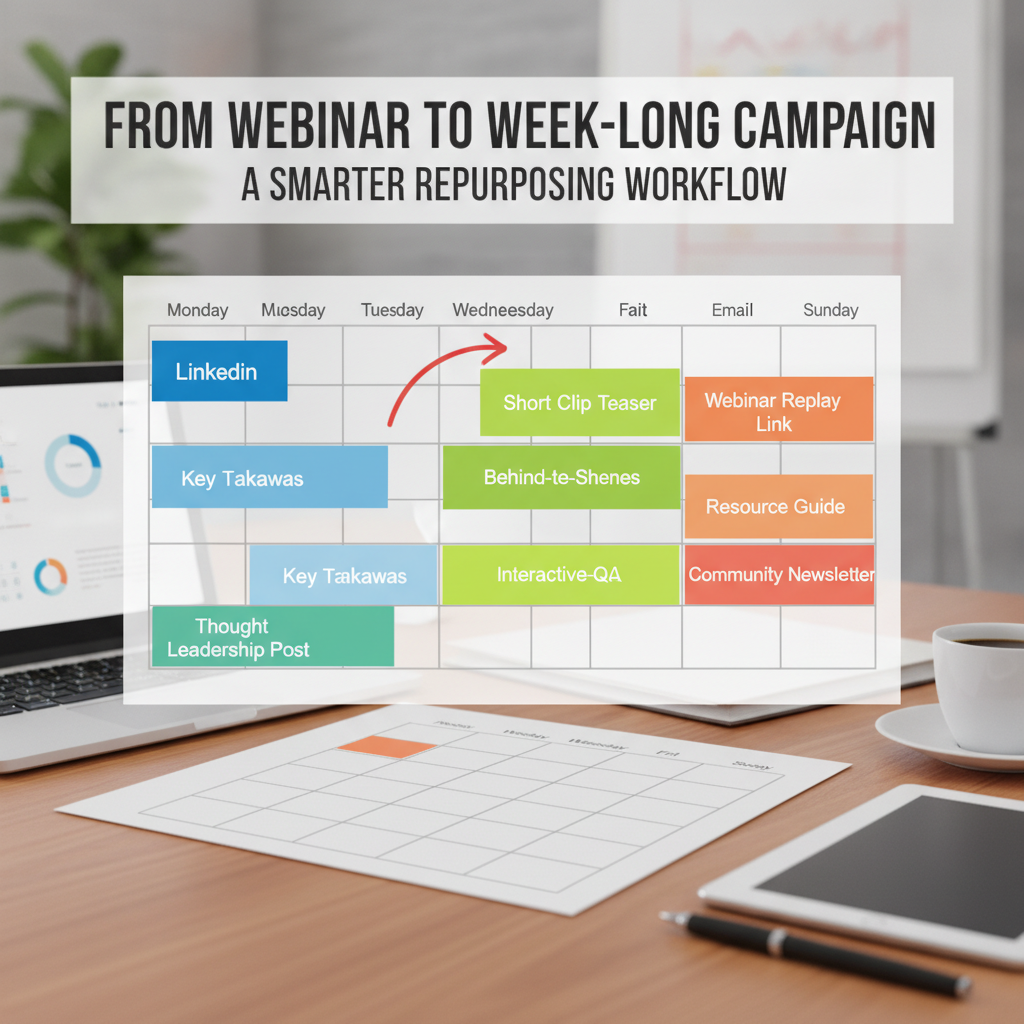
Weeklong content distribution calendar for repurposed assets
How do you adapt content for different platforms without losing quality?
Repurposing means adapting to native formats, not blindly cloning the exact same file everywhere.
The biggest fear marketers face when scaling content is producing generic, low-quality output. Blindly copying and pasting a post to every platform guarantees failure. Each channel has unique audience expectations and consumption habits.
"Repurposing content requires effort, but far less than creating from scratch. The key is a strategic approach. Simply repurposing content into a different format won't cut it; you need to understand who your audience is and where they are."
— Heiko Behrmann, Senior Content Strategist, Moccu
A rigid "platform personality" framework solves the cloning problem.
Platform Requirements Matrix:
- LinkedIn: Requires a clear point of view. Maintain a professional tone and emphasize thought leadership. Use text-heavy posts with strong, single-sentence hooks.
- TikTok and Reels: Demand a fast-paced visual hook within the first three seconds. Emphasize emotional delivery and entertainment value.
- Company Blog: Requires strict SEO optimization. Focus on depth, scannable formatting, and clear subheadings.
- Email Newsletters: Thrive on a personal tone. Provide highly actionable takeaways and a singular, clear call to action.
If a webinar features a complex, five-minute explanation of a technical process, that segment belongs on the blog. It will fail on TikTok. Conversely, a passionate 30-second rant about industry inefficiencies is perfect for a Reel but might look out of place as a standalone blog post. Adjust the format to fit the venue.
What role should AI play in your repurposing workflow?
Use AI as an efficiency engine for mechanics, but require humans as editors for strategy and brand voice.
Automation tools are necessary to reach the 25-asset benchmark efficiently. However, completely automating the pipeline invites disaster.
We already know that the vast majority of professionals actively use AI. Yet, trust in raw machine output remains exceptionally low. You need a "human-in-the-loop" model.
AI Responsibilities:
- Transcribing the raw audio file accurately.
- Identifying potential timestamps based on keyword density or volume spikes.
- Formatting raw text into basic outlines or summaries.
- Resizing video dimensions for vertical and horizontal feeds.
Human Responsibilities:
- Verifying brand voice and removing robotic phrasing.
- Selecting the absolute best strategic angles that align with current campaigns.
- Adjusting the emotional tone to match the target audience.
- Performing final quality control before hitting publish.
Position AI as a powerful efficiency tool, not a human replacement.
A platform like Repostra.app fits perfectly into this ecosystem. Repostra closes the efficiency gap by providing editorial filters that maintain brand consistency. It assists with the heavy lifting of formatting while prompting human review at critical junctures. This ensures the output remains authentic while drastically reducing the time spent on manual editing.
What are the most common webinar repurposing mistakes?
Treating every platform as a dumping ground for the same exact message.
Even with a structured workflow, teams stumble into preventable errors. Recognize these pitfalls to keep your campaign engaging.
- The Cloning Problem: Posting the identical caption and video file across LinkedIn, Twitter, and TikTok. Algorithms detect non-native formatting and suppress reach.
- Waiting Too Long: Publishing the first clip two weeks after the event. By then, momentum is completely dead. Execute your 48-hour sprint religiously.
- Publishing Raw AI Text: Using language models to write social posts and pasting them without edits. Your audience instantly recognizes the robotic tone and scrolls past.
- Ignoring Platform Nuances: Trying to force a dry, corporate slide deck onto TikTok. What works in a boardroom fails on a fast-paced vertical feed.
- Skipping the Highlight Reel: Sending an email that just says "Watch the one-hour replay here." Nobody has time for that. You must provide a 90-second trailer.
- Lacking Strategic Purpose: Generating 25 assets simply to hit a quota. If the clips do not serve your broader campaign goals or lead to a specific action, they are just noise.
Recovering from these mistakes requires returning to the core framework. If your engagement drops, review your platform adaptation rules. If production takes too long, examine your AI tooling.
Which metrics actually matter for repurposing success?
Measure business outcomes and cost efficiency, not just vanity views and superficial likes.
Tracking success requires moving beyond basic view counts. A clip might get ten thousand views on TikTok, but if it generates zero pipeline, the campaign failed.
According to Wyzowl's 2026 video marketing benchmark report, 82% of marketers report good returns from video content. Measuring the exact pipeline attribution, however, remains notoriously complex for individual social posts.
To evaluate a repurposing campaign accurately, monitor these primary metrics:
- Cost-Per-Asset: The total time and money invested divided by the number of assets produced. Repurposing should drive this number down significantly.
- Engagement Rate by Platform: Measure the percentage of viewers who actually comment or share, rather than just passively scroll.
- Conversion Rate: Track how many people move from watching a short clip to downloading a related resource or visiting a pricing page.
Secondary metrics provide context on brand reach:
- Share Rate: Especially critical for speaker-led clips on LinkedIn.
- Asset Reuse Rate: How often a particular graphic or quote gets embedded in future sales collateral.
Your ROI calculation framework is straightforward: value of pipeline generated divided by the total cost of production and distribution. A simple tracking spreadsheet often outperforms overly complex attribution software. Focus on whether the campaign reduced content creation bottlenecks while maintaining high engagement.
FAQ
How many content assets should I create from one webinar?
The industry standard in 2026 is 17 to 25 distribution-ready assets minimum. High-performing marketing teams routinely produce 30 or more. A standard breakdown includes 5-7 social posts, 3-5 short videos, a comprehensive blog post, 3-5 visual graphics, and dedicated email newsletters.
How long does it take to repurpose a webinar?
With modern AI assistance, the entire process takes roughly 4 to 6 hours of human work spread over seven days. The initial 48-hour sprint requires 2 to 3 hours, and the weeklong distribution setup takes another 2 to 3 hours. Contrast this with creating 25 assets entirely from scratch, which could take upwards of 60 hours.
Can I repurpose webinars that are several months old?
Yes, but the effectiveness naturally drops after 90 days unless the content is highly evergreen. For older content, you must refresh the statistics, update the context, and tie the insights to current events. The best practice remains repurposing immediately for momentum, then archiving the best clips for quarterly reuse.
What is the best platform for B2B webinar repurposing?
LinkedIn currently delivers the highest B2B return on investment, particularly when utilizing speaker-led video clips. However, short-form video on YouTube Shorts and Instagram Reels is rapidly gaining traction for thought leadership. You should combine these social channels with blog posts for search visibility.
Do I need expensive tools to repurpose content effectively?
No. A basic technology stack includes an AI transcription tool, a standard video editor, and a social scheduling platform. Advanced users benefit greatly from AI-assisted platforms like Repostra.app that specialize in maintaining brand consistency at scale. These tools easily pay for themselves once you produce three or more campaigns a quarter.
From overwhelm to efficiency
We need to reframe webinar repurposing. It is not a tedious administrative burden. It is a massive strategic advantage. You possess valuable intellectual property locked inside those hour-long recordings.
Start small if the 25-asset benchmark feels intimidating. Begin by extracting just 10 assets from your next event. Focus on nailing the 48-hour sprint with a solid highlight reel and a few strong LinkedIn posts. Once that system feels comfortable, scale up your weeklong distribution.
In 2026, the question is no longer whether you should repurpose your content. The question is how systematically and efficiently you do it. By adopting a human-in-the-loop solution to maintain quality, you can transform single events into lasting campaign assets without burning out your team.