How to Repurpose One Webinar Into a Month of Marketing
Walk through how a single webinar can become blog posts, short videos, quote graphics, email content, and social posts. The article can help businesses get more value from long-form content they already create.
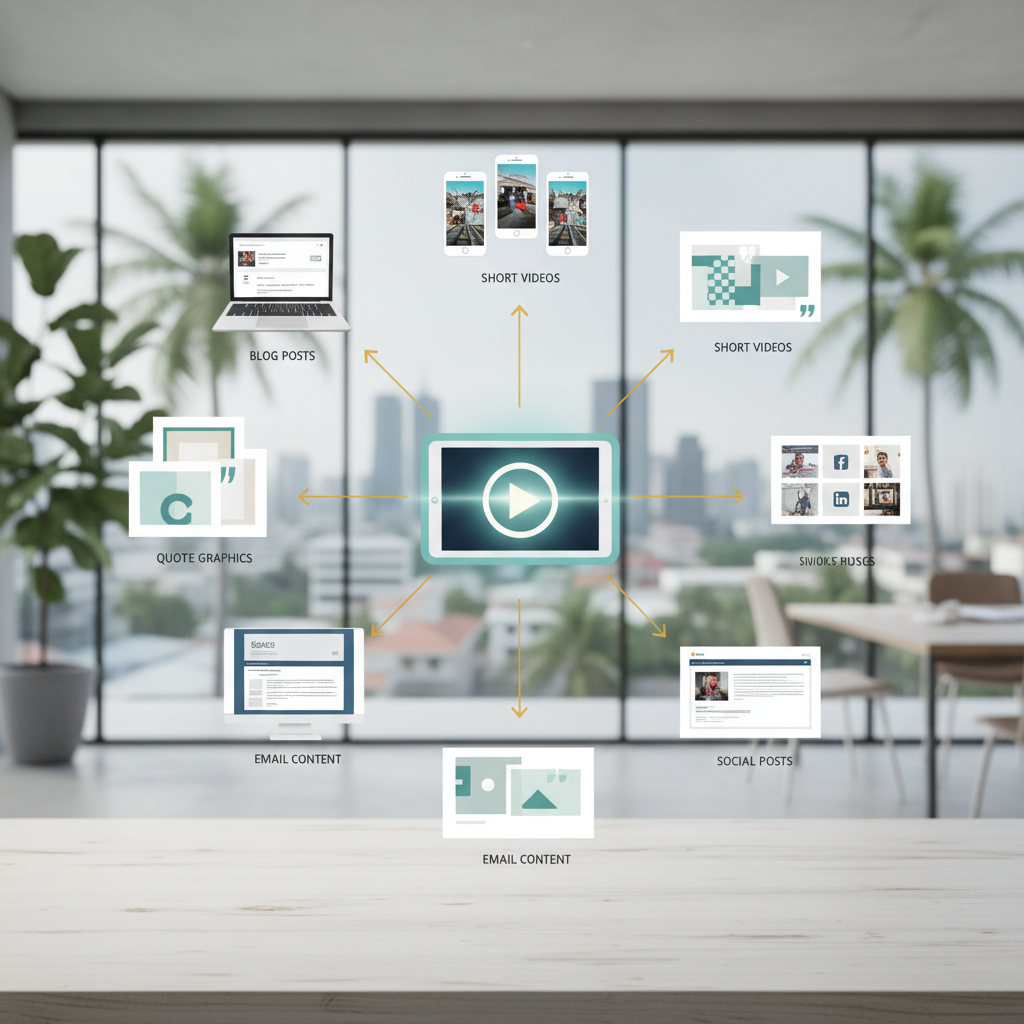
How to Turn One Webinar into 20+ Marketing Assets
A single hour-long webinar sitting in your archive is a marketing goldmine. Most teams spend 40+ hours preparing a presentation, run the live event for 150 people, then let the recording collect digital dust. That's a massive missed opportunity.
Here's what most marketers don't realize: one 60-minute webinar contains enough raw material to generate 20+ distinct marketing assets. Blog posts, video clips, quote graphics, email sequences, social media content. The whole works. Using transcription tools, AI extraction, and platform-specific formatting, you can cut content creation time by 60 to 80 percent. This systematic approach transforms one presentation into a full 30-day content calendar. When you repurpose strategically, you solve content exhaustion while reaching a significantly larger audience.
Key Takeaways
- One webinar equals 20+ assets: Transform a 60-minute session into blogs, videos, graphics, emails, and social posts.
- Efficiency multiplier: Systematic repurposing reduces content creation time by up to 80 percent.
- Proven ROI: Repurposing maximizes the research and design time already spent on the event.
- Platform-native adaptation: Adapting content for each specific channel doubles engagement rates.
- AI search advantage: Repurposed content in multiple formats builds topical authority with modern AI search engines.
Why do marketing teams waste their best webinar content?
Marketing teams often spend 40 hours or more preparing a single webinar. They research the topic, build a slide deck, prep the speakers, and run promotional campaigns. The event happens, 150 people show up, and then the recording gets filed away on a hidden web page.
Here's the problem: 40 to 50 percent of registrants don't attend live webinars, according to data from webinar platforms and industry surveys. This makes the standard "one-and-done" approach wasteful at best.
One presentation contains enough value for an entire month of marketing. You just need a system to extract that value. Here's how to pull maximum returns from every presentation you host.
Why does repurposing webinars matter in 2026?
Content teams feel intense pressure to maintain an active presence on every digital platform. Writing original content for every channel leads directly to burnout. Repurposing has shifted from a simple time-saving trick to a core strategic discipline.
According to the Content Marketing Institute's 2026 benchmarks, 94 percent of B2B marketers currently use content repurposing to extend their ROI. The numbers speak for themselves.
The bottom line: you maximize the investment you already made in subject matter experts and production. Organizations with active repurposing workflows report up to a 300 to 400 percent increase in content reach, according to B2B marketing performance data from 2026.
What can you create from one 60-minute webinar?
Every webinar hides a massive inventory of secondary content. Think of this as a pyramid. The long-form video sits at the top. The foundational layers consist of smaller, highly targeted assets distributed across different platforms.
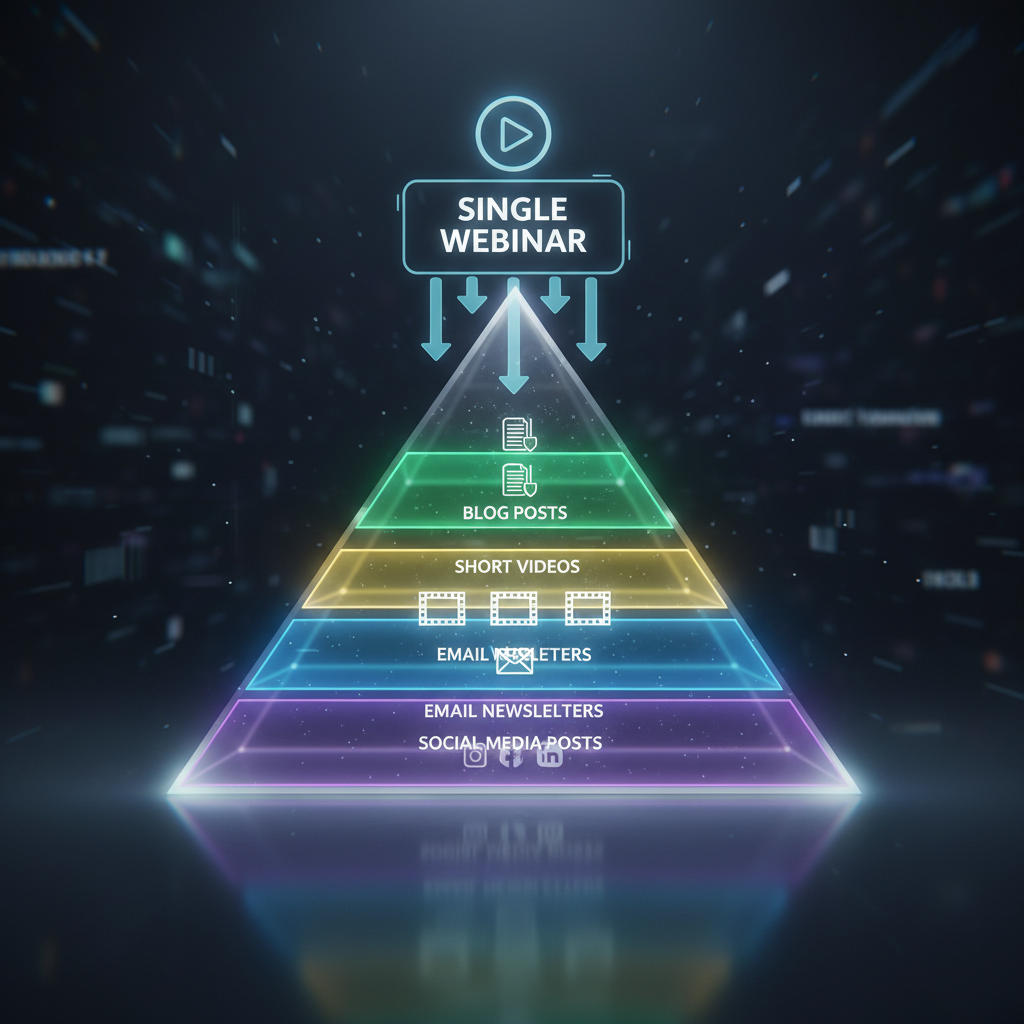
The Repurposing Pyramid showing content hierarchy
A standard one-hour session provides enough raw material to create all of the following assets.
| Original Asset | Repurposed Derivative | Best Platform or Use Case |
| :--- | :--- | :--- |
| Full Webinar Video | 5 to 7 Highlight Clips | LinkedIn, Instagram, TikTok |
| Webinar Transcript | 1 to 2 Long-form Blogs | Company Website |
| Q&A Session | FAQ Page | Website Help Center |
| Poll Data and Charts | Carousel Graphics | LinkedIn, Instagram |
| Speaker Quotes | 3 to 5 Quote Cards | X, LinkedIn |
| Key Concepts | 3-Part Email Drip | Lead Nurture Campaigns |
How do you capture content during a live webinar?
You can speed up the repurposing process by acting while the event is still happening. Assign a specific team member to the "content capture" role during the live broadcast.
Record the session locally as a high-quality backup. Don't rely solely on the cloud recording from your webinar software. Cloud recordings can fail, compress quality, or get lost in platform exports.
The person in the content capture role should note exact timestamps for specific moments. They need to look for high-impact quotes from speakers, mark when audience questions spark healthy debate, flag surprising poll results, and track when the live chat becomes highly active.
Why is your transcript the foundation of everything?
Professional transcription is non-negotiable. You can't efficiently repurpose video content without a text-based source document.
Secure your transcript within 24 hours of the event. Many webinar platforms like Zoom include automatic transcription. You can also use dedicated tools like Otter.ai, Rev, or Descript. Automated transcription works well, but a hybrid approach with human verification guarantees professional accuracy. Professional human transcription typically costs between $1 and $3 per minute of audio.
This transcript becomes the ultimate source material for your blog posts, social media updates, and email campaigns.
How do you extract your best content from the transcript?
Once you have an accurate transcript, the gold mining phase begins. You can feed your transcript into AI tools like ChatGPT or Claude to speed up the extraction process.
Step 1: Give the AI a specific role and prompt. Ask it to identify the 10 most actionable takeaways from the text.
Step 2: Tell the tool to look for controversial takes, data points, and stories.
Step 3: Organize these outputs into a single content brief.
This brief will contain your key takeaways, punchy one-liners, and common objections addressed by your speakers.
How can you turn your webinar into blog content?
Your transcript sections serve as the direct structure for written articles. You can build an evergreen how-to guide or a listicle highlighting the top lessons learned from the session.
Optimize this post for the exact keywords your attendees searched to find the webinar in the first place. Add value beyond the transcript by defining industry terms, including extra research, and adding internal links to your other content. Publish this first article within three to five days of the live event while interest is still high.
"When you take a webinar and turn it into a high-quality blog post, you stop renting attention and start owning it. The transcript gives you the raw material, but formatting it for search intent provides the longevity."
Ross Simmonds, CEO of Foundation Marketing.
How do you create short video clips that actually get watched?
Social media algorithms favor short, engaging video content. The ideal length for a social clip is between 30 and 90 seconds.
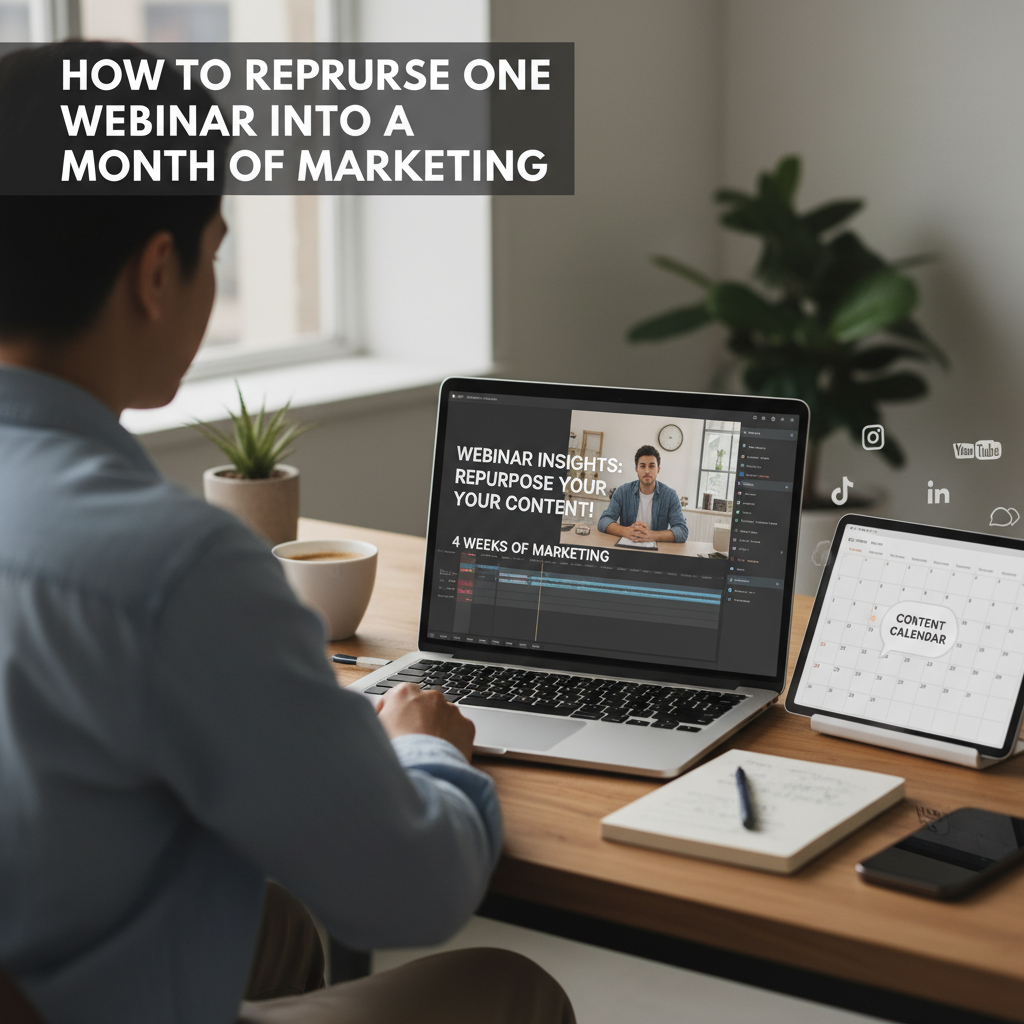
Editing short video clips with captions for social media
You can use extraction tools like Descript, VEED, or OpusClip to cut these moments quickly. Aim to pull five to seven distinct clips from a single hour-long presentation.
Platform requirements:
- LinkedIn: 45 to 90 seconds focused on professional insights.
- Instagram Reels: 30 to 60 seconds with faster pacing.
- TikTok: 15 to 60 seconds combining education with entertainment.
- YouTube Shorts: 30 to 60 seconds with a strong how-to focus.
Always add captions to your videos. Up to 85 percent of social media video is watched without sound, according to multiple studies by Verizon Media and Digiday.
How should you design quote graphics and visual assets?
Visual content breaks up text-heavy social media feeds. You can pull three to five strong speaker quotes directly from your content brief.
Design tools like Canva, Adobe Express, and Figma offer excellent templates for quote cards. You can also create 8-slide carousel posts for LinkedIn that summarize your main takeaways. Turn the results of your live polls into simple infographics.
Maintain brand consistency by using your official colors and fonts. Ensure high contrast for readability and design everything with a mobile-first mindset. Most of your audience will view these graphics on a phone screen.
How do you build an email nurture sequence from your webinar?
Your webinar registrants need follow-up communication. A structured three-part email sequence keeps your brand top of mind.
Email 1 (Day 2): Focus on a "Key Insight" recap highlighting the single biggest takeaway.
Email 2 (Day 6): Focus on "Q&A Highlights" and answer the top questions asked during the session.
Email 3 (Day 12): Provide a link to watch the full replay and offer additional resources.
Segment your list before sending. Use slightly different messaging for the people who attended versus those who missed the live event. Attendees get a "here's what we covered" angle. No-shows get a "here's what you missed" approach.
What social media posts can you create from one webinar?
You can easily fill a four-week social media calendar with content derived from one presentation. The secret is to atomize the content rather than duplicating it. You must adapt your message for the specific culture of each platform.
Content distribution strategy:
- Week 1: Announcement posts, event teasers, and the biggest conceptual takeaway.
- Week 2: Deep-dive insights and two short video clips.
- Week 3: Audience questions and interactive polls based on the presentation topic.
- Week 4: Final resource roundups and a reminder to watch the replay.
Use LinkedIn for professional carousels. Use X for quote threads and hot takes. Rely on Instagram for Reels and feed graphics. Ask questions in your captions to drive engagement.
How can you create a FAQ page from webinar Q&A sessions?
Live Q&A sessions are pure marketing gold. They give you the exact questions real prospects are asking in their own words.
You can extract questions from the live chat, the formal Q&A time, and post-webinar follow-up emails. Organize these questions by theme. Publish them on a dedicated website FAQ page, within a knowledge base article, or as a sales enablement resource.
According to Google Search Central documentation, using FAQ schema markup helps structured content appear in rich results and featured snippets. People search for these exact questions online. Answering them clearly drives highly qualified organic traffic to your website.
What does a repurposing calendar look like?
Spacing out your content matters. Releasing everything in the same week overwhelms your audience and limits your overall reach.
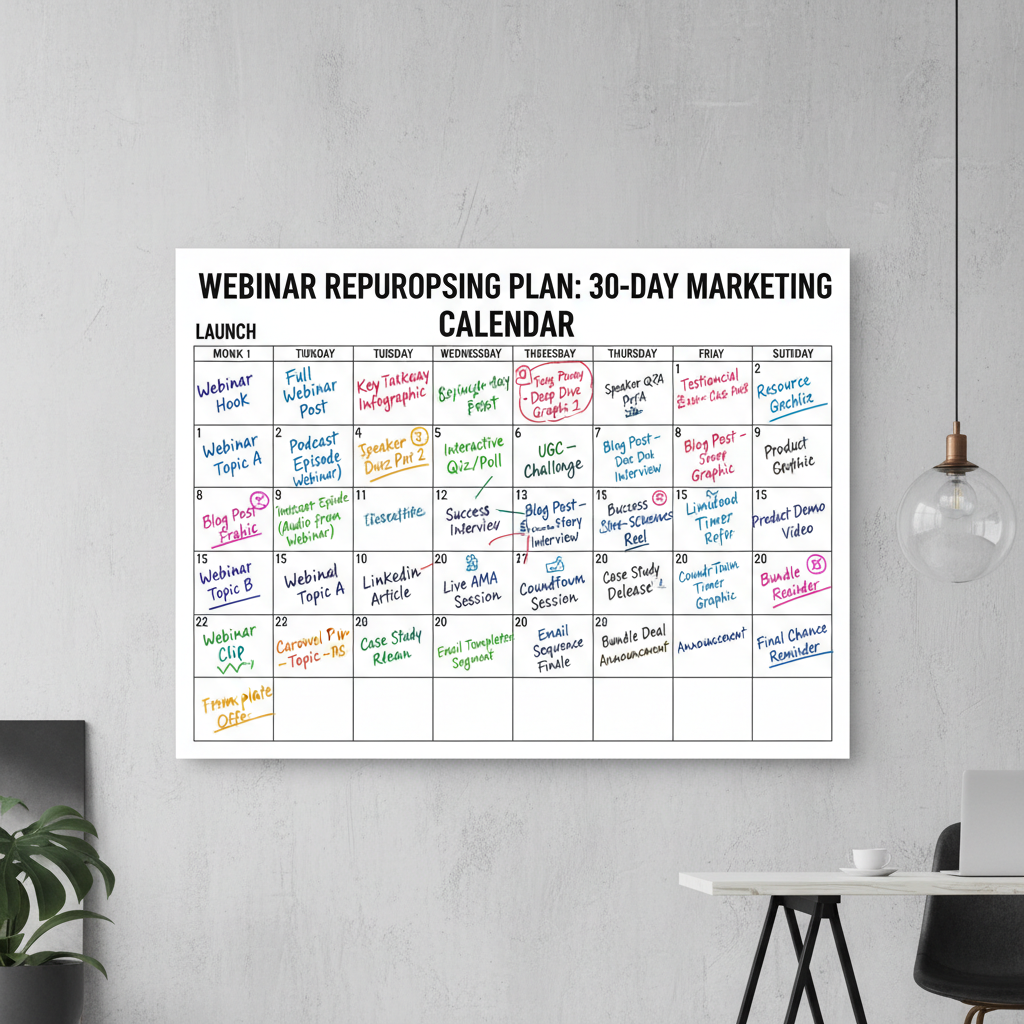
30-day social media content calendar
The 30-Day Schedule:
- Week 1: Publish your first blog post. Send the first recap email. Post one video clip and two text-based social updates.
- Week 2: Publish your new FAQ page. Send the second email. Post two video clips and share your infographic.
- Week 3: Publish a second blog post. Share your quote graphics. Post interactive social questions.
- Week 4: Send the final replay reminder email. Post the remaining video clips. Compile a "best of" resource thread on X or LinkedIn.
Track which formats perform best. Use this data to optimize your calendar for the next event.
Which tools make repurposing easier in 2026?
A streamlined workflow requires the right software stack. Small teams can build a highly effective minimum viable stack using a mix of free and paid tools.
- Transcription: Otter.ai, Rev, or Fireflies.ai.
- AI Extraction: ChatGPT, Claude, or Jasper.
- Video Editing: Descript, VEED, or Riverside.fm.
- Design: Canva or Adobe Express.
- Content Management: Notion, Airtable, or Asana.
A dedicated repurposing platform like Repostra.app fits directly into this workflow to streamline the distribution process. By connecting your creation tools to a unified scheduling system, you remove the friction of manually posting 20 different assets.
Why does this matter for SEO and AI search?
Search visibility now requires more than just optimized text. Producing multiple content formats signals true expertise to search algorithms.
According to Search Engine Journal's 2026 reporting, AI search engines like Perplexity and Google AI Overviews heavily favor structured, multi-format content when establishing brand entity recognition.
When you publish a blog post, embed a video clip, and include an optimized FAQ section, you build topical authority. Transcripts help search engines understand the deep context of your video files. The compound effect of these pieces linking together significantly boosts your overall domain authority.
What common repurposing mistakes should you avoid?
Many marketing teams stumble when they first implement a repurposing workflow. You can easily avoid these common pitfalls.
Cross-posting identical content. You must adapt your formatting for the native style of each platform. A LinkedIn post shouldn't look like a tweet.
Dumping all content at once. Space your assets out over 30 days to maximize visibility.
Forgetting SEO optimization. Always tie your written content back to the keywords your audience is searching for.
Skipping the human review. Never publish AI-extracted content without checking it for accuracy and brand voice.
Missing the call-to-action. Every repurposed asset needs a clear next step for the reader or viewer.
FAQ
How long does it take to repurpose one webinar?
With the right tools and workflow, you can repurpose a 60-minute webinar in four to six hours of focused work. This includes getting the automated transcript, extracting key points, creating blog posts, and designing graphics. Compared to creating 20 unique pieces of original content, you save up to 80 percent of your production time.
Can I repurpose a webinar if the speakers aren't employees?
Yes, provided you have the proper permissions. Before the event, include language in your speaker agreement granting you rights to repurpose the content. Most guest speakers appreciate the extra exposure. Always attribute quotes correctly and send them the finalized assets to share on their own channels.
How many pieces of content should I realistically create?
A typical one-hour session yields 15 to 25 discrete content pieces. This breaks down to a couple of blog posts, five to seven video clips, a dozen social posts, a few quote graphics, and an email sequence. Start with 10 pieces if you're new to the process, and scale up as your speed improves.
What if my webinar was boring or had low attendance?
Low attendance doesn't diminish the value of the information. Repurposing allows you to reach the registrants who missed it and entirely new audiences. Focus on extracting the educational data points and answering the specific questions that prompted the event in the first place.
Which repurposed content should I create first?
Start with the blog post and the first email to attendees within 48 hours. These require the least specialized skill and capitalize on immediate interest. Next, cut two or three short video clips for social proof. Save the larger graphic design tasks for the following week.
From one-time event to ongoing asset
Webinars aren't just live events. They're massive content goldmines waiting to be processed.
Spending six hours on repurposing yields a significantly higher return than spending 40 hours creating original content from a blank page. The systematic breakdown of long-form video allows 300 to 400 percent more people to see your brand's expertise. Stop letting your valuable presentations gather dust on a hidden web page. Turn your next live session into a 30-day marketing engine.