How to Build a Content Approval Workflow Without Slowing Distribution
Show teams how to keep human oversight in place while still publishing quickly across channels. This post can cover practical approval stages, role assignments, and ways to avoid bottlenecks.

How to Build a Fast Content Approval Workflow That Eliminates Bottlenecks
Your content sits ready to publish. A trending topic is hot right now. Yet your post is stuck waiting for a fourth approval from a manager who is blocked off in meetings all afternoon.
TL;DR: A fast content approval workflow replaces committee reviews with clear role ownership and structured stages. Assign one owner and one backup per piece, batch feedback sessions at fixed times, and use default approval rules for missed deadlines. The result: you maintain quality control while publishing in hours instead of days, letting teams capitalize on trending topics before the moment passes.
Key Takeaways:
- Assign one content owner and one backup approver per piece to prevent delays.
- Use default approval policies so content moves forward automatically if deadlines pass.
- Replace fragmented email handoffs with a single platform for review and feedback.
- Batch approval sessions at fixed times instead of reviewing content randomly throughout the week.
- Approve the brief before production begins to avoid expensive last-minute rewrites.
The paradox is glaring. Marketing teams have more content tools than ever before, yet distribution feels slower. Speed in 2026 is not about rushing. Speed is about removing friction from the process. You can maintain strict quality control while publishing in hours rather than days. The industry shift toward AI-assisted production requires human oversight, but that oversight should not paralyze your output.
According to a 2025 Content Marketing Institute study, 63% of marketing teams report approval bottlenecks as their number one barrier to timely publishing. The traditional system is broken. We can fix it by treating approval as a structural pipeline rather than a series of personal favors.
Why Does Your Content Approval Workflow Create Bottlenecks?
Committee style reviews slow everything down to a crawl. When too many people need to sign off, nothing gets published on time. Email and Slack create invisible handoff delays where finished content easily gets lost between tools.
Lack of role clarity means no one knows who has final authority to actually publish the post. Ad-hoc reviews constantly interrupt deep work and create unpredictable timelines. Out-of-office paralysis strikes when the one person needed for sign off goes on vacation. Everything stops.
These are not people problems. They are system design problems. Each bottleneck has a structural solution you can implement today.
"The most efficient teams we studied had one thing in common. They assigned a single named owner for each content piece, with clear escalation paths when that person was unavailable."
— Sarah Chen, VP of Content Operations at Buffer, from The 2026 Content Workflow Report
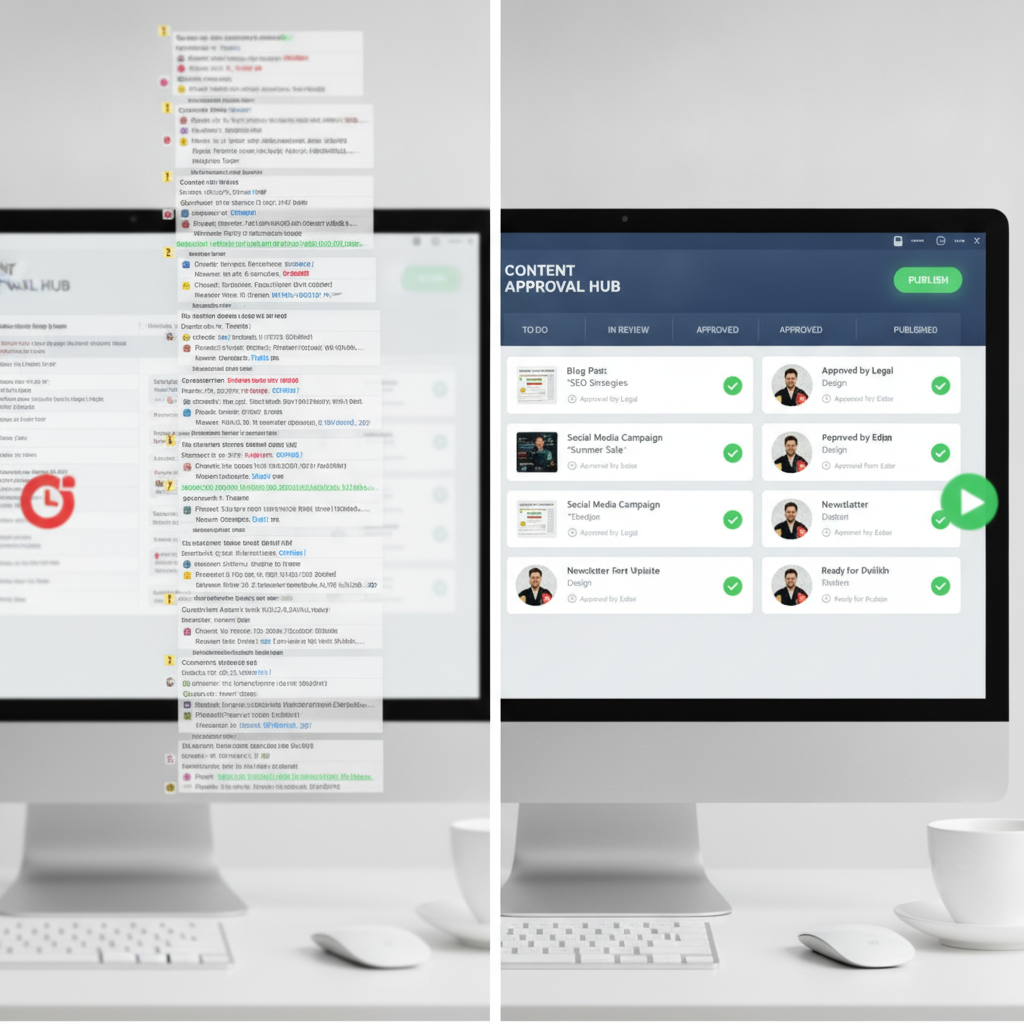
Comparing bad and good content approval workflows
What Are the Four Stages of a High-Velocity Workflow?
| Stage | Who Owns It | What Gets Approved | Why It Matters |
|-------|-------------|-------------------|----------------|
| Briefing | Content strategist or campaign lead | Outline, goal, target platform, key messages | Prevents expensive rewrites later. Ensures alignment before work begins. |
| Production | Creator or AI production tool | First draft or asset based on the approved brief | Keeps creative focused. Separates the making from the approving. |
| Review | Brand manager or compliance lead | Brand voice, factual accuracy, platform fit | Single-pass review with consolidated feedback without email threads. |
| Publish | One final approver with a named backup | Final quality check and distribution timing | Eliminates confusion about who clicks the publish button. |
Briefing
Bottom line: Approve the plan before investing hours in production. Agreeing on the outline reduces revision cycles by up to 60%. Use shared brief templates with required fields like platform specifications and a brand guidelines checklist.
Production
AI handles repetitive work like caption variations and formatting summaries. Human creators focus on brand-specific customization. The output here is a draft ready for review, not publication.
Review
Use collaborative tools where feedback lives right on the asset. Avoid separate text documents entirely. Set a firm review window of 24 hours and stick to one reviewer per stage. Committees have no place in a high-velocity system.
Publish
Enforce the one final approver rule. Always name a backup approver to prevent unexpected delays. This person controls distribution timing and the final brand safety check.
According to 2026 research from Asana's Work Innovation Lab, teams using staged approval workflows publish 2.3x faster than those using committee reviews.
How Do You Assign Roles Without Creating Confusion?
Use a simplified RACI model tailored for content teams.
- Responsible: The creator or producer making the asset.
- Accountable: The one person who approves or rejects it.
- Consulted: Optional stakeholders like legal experts or product managers.
- Informed: People who get notified after publication happens.
Key takeaway: Every single piece of content needs a named backup approver. This backup rule prevents out-of-office paralysis. The backup must have equal authority and enough context to make decisions quickly.
For high-volume teams, rotate approver duties weekly. This prevents burnout and keeps reviews moving rapidly.
Document this system clearly for everyone to see. Create a visible chart in Notion, Airtable, or your internal wiki. Map the content type directly to the owner, the primary approver, and the backup. Assign Instagram Reels to Maria as the creator, James for the brand review, and Lisa as the backup. Start small by assigning roles for one content type like blog posts. Prove the system works before expanding it across the whole department.
What Tools Actually Speed Up Content Approval?
Centralized Feedback Platforms
Choose tools that combine asset storage with commenting. Platforms like Frame.io for video, Notion for written content, or Planable for social posts eliminate handoff delays. Feedback lives directly on the content itself.
Workflow Automation
Software should auto-route content to the next approver when a stage completes. Trigger notifications when deadlines approach. Project management tools handle these automated handoffs beautifully and keep the mental burden off your creators.
AI-Assisted Production
Speed up the production stage with AI drafting tools. This reduces human workload so approvers focus on strategic review rather than simple line edits. Users of Repostra.app benefit from template-based approval for reposted content since the format is predictable.
Version Control
Version control is essential for visual content like designs and graphics. It prevents confusion over which file is the final one. Google Drive with strict naming conventions or dedicated Digital Asset Management systems solve this issue.
The Integration Rule
Your workflow is only as fast as your slowest handoff. Choose tools that integrate smoothly or use one platform for multiple stages. According to Gartner's 2025 MarTech Survey, teams using integrated approval platforms reduce review cycles by an average of 47%.
How Do You Implement Default Approval Without Sacrificing Quality?
Default approval means if a designated approver does not respond by a pre-agreed deadline, the content automatically moves forward as approved. This shifts responsibility. Approvers must engage or delegate. They cannot simply ignore their inbox.
This forces accountability and keeps the publishing calendar predictable. It eliminates the waiting game.
Step 1: Set clear deadlines. Ask for a review by 2:00 PM on Thursday rather than vaguely requesting it by the end of the week.
Step 2: Send automated reminders. Ping the approver at 50% and 90% of the deadline window.
Step 3: Risk-tier your content. Use default approval for low-risk content like social captions and blog posts. Require explicit sign-off for high-risk pieces like legal claims, executive communications, or press releases.
Step 4: Maintain an audit trail. Log exactly when a default approval triggers. This provides accountability and helps analyze bottlenecks later.
Always name a backup approver who receives an escalation ping if the primary approver goes silent. Treat default approved content as a trial for the first 30 days. Review what went out to ensure quality holds up. This tactic only works if leadership supports a culture of respecting everyone's time.
How Do You Batch Approvals to Maintain Deep Work?
Constant chat pings asking to approve something real quick destroy focus. Productivity drops off a cliff. Approvers feel reactive rather than strategic. Ad-hoc reviews do not work at scale.
Schedule fixed approval windows instead. Set specific times like Tuesdays from 10:00 AM to 11:00 AM and Thursdays from 2:00 PM to 3:00 PM. Require all content for review to be submitted 24 hours before the window. Approvers block this time and review everything in one focused session.
Approvers maintain deep work blocks the rest of the week. Creators know exactly when to expect feedback. Approving ten pieces in one session is much faster than handling ten separate interruptions.

Batching content approvals for deep work
Begin with one batch window per week. Communicate the schedule clearly by adding it to the team calendar and your main chat channel topic. Create an express lane for truly urgent content like product launches or crisis responses. Require director-level authorization to use this express lane so people do not abuse it.
What About Repurposed and Multi-Channel Content?
Repurposed content needs a different approach. The creative asset like the original video or image is already approved. The review process should focus on platform adaptation. Check the captions, hashtags, cropping, and timing.
Create standard approval checklists specific to each platform. Build one for Instagram Reels, one for TikTok, and another for LinkedIn. Checklist items might include ensuring the caption aligns with brand voice, verifying hashtags, checking for watermarks, and confirming the call to action. If the checklist is complete, the content auto-advances.
Trending content has a tight 24 to 48 hour window. Traditional processes miss the moment entirely. Pre-approve a trending topic response framework so creators can act fast within established guardrails.
When publishing the same content to multiple platforms, batch the approvals together. Use a spreadsheet or tracking tool to confirm each platform version is approved. This stops version confusion dead in its tracks.
For Repostra.app users, the workflow should focus purely on caption alignment and brand safety. You are sharing high-quality media that already exists. Do not re-review the asset itself. Publish while the topic is trending, not after the moment has passed.

Template based approval checklist for repurposed content
How Do You Audit and Improve Your Workflow Over Time?
Workflows must evolve. Track specific metrics to keep your process sharp and your team happy.
Measure time-to-publish from the moment a brief gets approved to the live content. Track the average and look for outliers. Run bottleneck analysis to see where content sits the longest using your workflow tool analytics. A high approval rejection rate usually means the briefing stage needs work. Track out-of-office delays to see how often the backup approver actually steps in.
Establish a monthly review ritual. Hold a 30-minute team meeting to review these workflow metrics. Ask what content sat in limbo this month and why it happened. Identify the specific handoff that failed.
Survey your creators and approvers quarterly. Ask them what slows them down the most. Act on consistent patterns rather than one-off complaints.
If the review stage consistently takes three days, add a second backup approver. If creators frequently miss briefing deadlines, improve the brief template to make it simpler. The publishing speed should improve every quarter without the quality declining.
Common Mistakes to Avoid
Keep your process tight by avoiding these structural pitfalls.
Do not use email for feedback. Feedback gets buried and email threads branch off. No one knows what is final. Use tools where comments live directly on the content.
Do not skip the briefing stage. It feels tempting to just start creating. This leads to massive revisions. Always approve the plan first.
Do not let committees creep back in. Thinking that just one more person should see this suddenly results in six approvers. Require leadership approval to add anyone beyond the standard workflow.
Do not ignore your backup approver system. Backups cannot approve effectively if they never receive context. Give them read-only access to briefs or copy them on key updates.
Do not treat all content the same. A blog post requires a different review than a press release or an Instagram caption. Create tiered workflows for low, medium, and high-risk pieces.
Do not forget to celebrate wins. Acknowledge the team when you publish twice as fast. It reinforces the value of the new system.
FAQ
How long should a content approval workflow take?
For routine content like blog posts and social media, aim for 24 to 48 hours from the final draft to publication. High-stakes content like press releases or compliance heavy pieces may require three to five business days. If your workflow regularly exceeds these windows, audit your process for bottlenecks. Delays are usually caused by unclear role assignments or fragmented tools.
Who should be the final approver for content?
The final approver is the person with brand authority and accountability for that specific content type. For social media, this is typically a social media manager or brand lead. For blog content, a content director or marketing executive makes sense. Always name a backup approver with equal authority to prevent out-of-office delays.
What is the biggest mistake teams make with content approval?
Trying to get consensus from too many people is the ultimate bottleneck. Committee style reviews slow publishing by up to five times and dilute the brand voice. Assign one approver per stage and use a clear model to separate who decides from who simply needs to be informed.
How do you handle feedback disagreements between reviewers?
Disagreements happen when roles lack clarity. If two reviewers disagree, the named final approver has absolute authority to make the call. Never leave creators stuck in the middle trying to guess which feedback to implement. The accountable owner must provide a single, unified directive.
Can AI completely replace the human review stage?
Not yet. AI is excellent for the production stage, handling variations, grammar checks, and formatting. However, human oversight remains critical for nuanced brand voice, cultural context, and factual accuracy. The goal is to use AI to speed up the creation so humans can focus on strategic review and brand safety.